
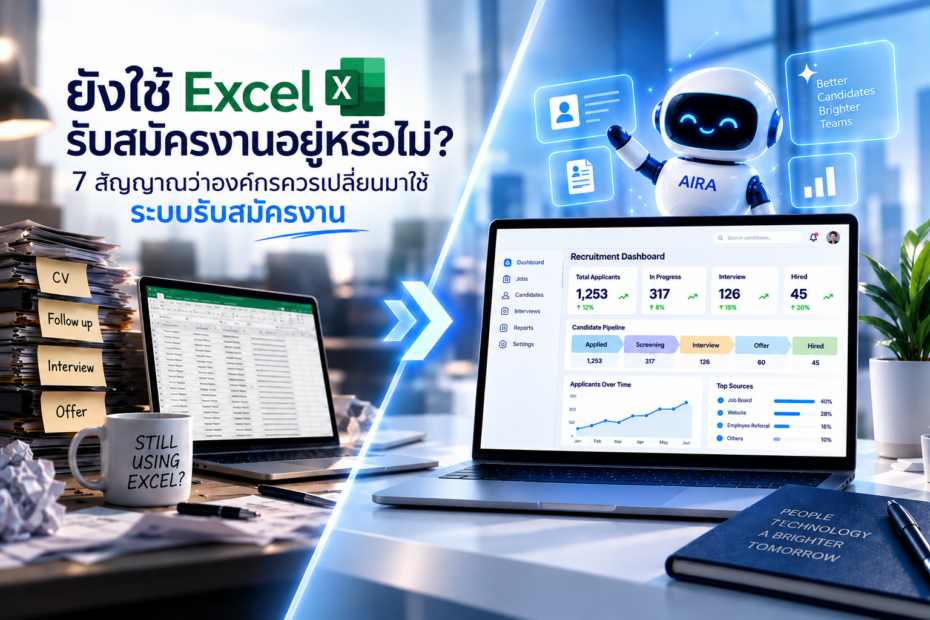
A Recruitment System helps organizations manage candidate information, track application status, and run the hiring process in a structured way. Yet many organizations still rely on Excel, email, and shared folders as their primary recruitment tools. This may work at the beginning, but as the number of candidates, open positions, and stakeholders grows, the same approach can become a limitation.
Excel is one of the tools HR teams know best. Many organizations use it together with email and shared folders to record candidate information, track status, and send resumes to Hiring Managers because it is easy to start with and flexible.
There is nothing inherently wrong with this approach, and it can still be suitable for organizations with a low volume of applicants. However, when the business grows, multiple positions are open at the same time, or several stakeholders are involved in selection, a simple process can turn into time-consuming manual work and fragmented data.
The real question is therefore not simply, “Can Excel still be used for recruitment?” but rather, “Has our recruitment process become too complex for Excel to support efficiently?”
This article outlines seven signs that can help organizations assess whether it is time to move from Excel to a Recruitment System—so they can manage candidates more systematically, reduce repetitive work, and prepare the recruitment process for future growth.
What Is a Recruitment System?
A Recruitment System is software designed to manage the recruitment and selection process—from opening job vacancies, receiving applications and resumes, storing candidate information, screening qualifications, tracking status, and scheduling interviews, through to selection and job offers.
Its core value is not simply replacing Excel. It connects recruitment data and workflows so that HR, Recruiters, and Hiring Managers can work from the same information and track progress more easily.
What Can a Recruitment System Help HR Do?
- Centralize resumes and candidate information in a Candidate Database
- Track candidate status through a Candidate Pipeline
- Search and screen candidates using stored data
- Manage interviews and collaboration with Hiring Managers
- Monitor Recruitment KPIs through dashboards and analytics
- Transfer hired-candidate data into downstream HR processes
- Extend capabilities with Resume Parsing, AI Resume Screening, and Candidate Matching in systems that support them
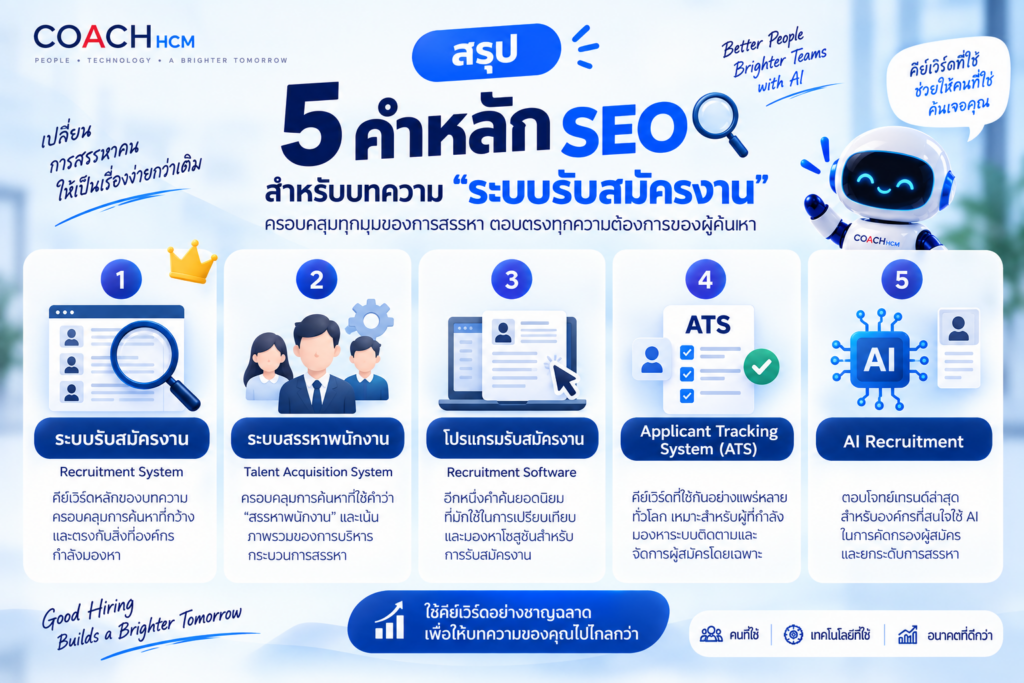
How Is a Recruitment System Related to an Applicant Tracking System (ATS)?
An Applicant Tracking System (ATS) focuses on storing, tracking, and managing candidates throughout the recruitment pipeline—from application through selection. The term Recruitment System may be used more broadly to include additional workflows and capabilities across the recruitment process.
For this reason, organizations searching for a Recruitment System will often find ATS solutions among the main options to evaluate.
Is Excel Still Enough for Recruitment?
When Is Excel Still Suitable for Recruitment?
Excel can still be appropriate when an organization hires only a small number of employees, receives a limited number of applications, has a simple recruitment workflow, and involves only a few stakeholders. It is quick to start with and can be adapted to different data formats.
When Does Excel Start Becoming a Recruitment Limitation?
The limitations become clearer as the number of vacancies, candidates, recruitment channels, and stakeholders increases. If Recruiters spend a large share of their time searching for resumes, updating status, sending files, following up on feedback, and consolidating data for reports, the process may be ready for a system designed specifically for recruitment.
7 Signs It’s Time to Move from Excel to a Recruitment System
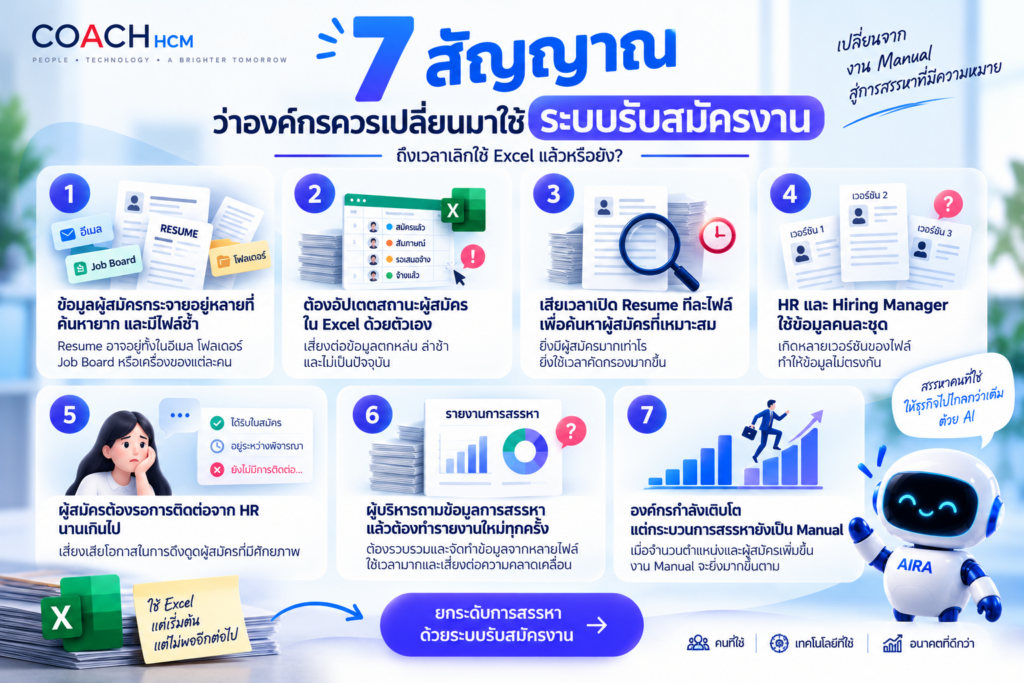
1. Resumes Are Scattered Across Multiple Locations
When candidates come from multiple channels, resumes may be stored across email, folders, job boards, or individual Recruiters’ computers. This can lead to duplicate files, lost historical resumes, and uncertainty over which information is current. A Recruitment System centralizes candidate information in a Candidate Database, making it easier to search and reuse.
2. HR Has to Update Candidate Status Manually in Excel
A candidate may move through several stages such as Applied, Screening, Interview, Selected, Offer, and Hired. With multiple vacancies running at once, manual Excel updates can become delayed or incomplete. A Candidate Pipeline gives Recruiters clearer visibility into each candidate’s current stage and the next action required.
3. Recruiters Have to Open Resumes One by One to Find Suitable Candidates
As resume volume grows from dozens to hundreds or thousands, opening files individually to search for experience, skills, or keywords becomes time-consuming. Some Recruitment Systems provide Resume Parsing and Candidate Search, turning resume content into searchable data and potentially extending into AI Resume Screening or Candidate Matching. Final hiring decisions should still rely on human judgment.
4. HR and Hiring Managers Are Working from Different Candidate Data
Sending Excel files and resumes back and forth by email makes multiple versions easy to create. Recruiters may be using one file while Hiring Managers use another. A Recruitment System creates a single source of truth so stakeholders can work from the same candidate data and reduce confusion about which version is current.
5. Candidates Wait Too Long for HR Follow-up
When HR has to track candidates across multiple files, interview scheduling, result notifications, or follow-ups can be delayed. A system that clearly shows workflow and candidate status can reduce the risk of candidates being overlooked during the process.
6. Every Management Question Requires HR to Build a New Recruitment Report
Questions such as “How many vacancies are open this month?”, “What is our Time to Hire?”, or “Which sources generate our applicants?” can become recurring data-consolidation tasks when information is spread across Excel files. Recruitment Dashboards and Analytics can help HR monitor Vacancy, Number of Applicants, Time to Hire, Source of Hire, Offer Acceptance Rate, and the Recruitment Funnel more systematically.
7. The Organization Is Growing, but Recruitment Is Still Manual
If the organization is opening new branches, increasing headcount, or expanding the recruitment team while the workflow remains Email + Excel + Folder + Manual Follow-up, manual workload will grow with the business. A Recruitment System can help scale the recruitment process to support increasing vacancies and candidate volumes.
Excel vs. Recruitment System: What’s the Difference?
Excel is not the wrong tool for recruitment. But as the process becomes more complex, the difference between a spreadsheet and software designed specifically for recruitment becomes increasingly clear.
| Area | Excel | Recruitment System |
|---|---|---|
| Candidate storage |
Manual records and file management |
Candidate Database |
| Resume search | Depends on manually recorded data | Searchable candidate database |
| Status tracking | Manual updates | Candidate Pipeline |
| Collaboration | Files / Email | Shared centralized data |
| Recruitment Workflow | Manual | Workflow-based management |
| Dashboard | Created and updated manually | Dashboard based on system capabilities |
| Analytics | Data must be consolidated before analysis |
Recruitment data is easier to analyze |
| AI | Not a core capability | Some systems support AI Screening / Matching |
How Does a Recruitment System Reduce Manual HR Work?
Centralize Resumes in a Candidate Database
Instead of spreading files across email and folders, the system centralizes candidate information in one place, making it easier to search, review, and reuse the Candidate Pool.
Track Candidates Through a Candidate Pipeline
Recruiters can see which stage each candidate is in, who is waiting for an interview, who is awaiting feedback, and who has reached the Offer stage.
Reduce Excel and Resume Sharing Between HR and Hiring Managers
When information is stored centrally, stakeholders can work from the same data set, reducing duplicate file sharing and version-control problems.
Use Recruitment Dashboards and Analytics
Structured recruitment data can be used to monitor KPIs and identify bottlenecks that slow down the hiring process.
Extend into AI Resume Screening and Candidate Matching
Some modern systems can use AI to support resume reading, candidate search, and job matching, helping reduce preliminary Recruiter workload.
What Types of Organizations Should Start Using a Recruitment System?
Organizations do not need to wait until they have a large workforce before adopting a Recruitment System. The key variable is the complexity of the recruitment process rather than company size alone.
- High applicant volumes or resumes arriving from multiple channels
- Multiple vacancies open at the same time
- Several Recruiters or Hiring Managers involved in selection
- Regular Recruitment KPI tracking and reporting
- Plans to expand the organization or increase hiring volume
- A need to develop Recruitment Analytics or AI capabilities
A simple rule of thumb is: the higher the Volume + Complexity + Collaboration in recruitment, the greater the need for a dedicated Recruitment System.
What Should a Recruitment System Include? 7 Key Capabilities to Consider
1. Candidate Database – A Centralized Candidate Repository
A system should centralize resumes and candidate information in a single Candidate Database so Recruiters can search, review, and reconsider previous candidates for new vacancies more easily. A centralized database also reduces the problem of resumes being scattered across email, folders, or individual computers, and supports the development of a Candidate Pool for future hiring.
2. Candidate Pipeline – Track Candidates at Every Stage
A system should clearly display candidate status throughout the Recruitment Pipeline, for example: Applied → Screening → Interview → Selected → Offer → Hired. Recruiters can immediately see where each candidate is, who is waiting for an interview or feedback, and what action is required next. This reduces manual Excel updates and the risk of candidates falling through the process.
3. Resume Parsing and Candidate Search
When an organization has a large resume database, opening documents one by one to find relevant experience, skills, or qualifications can take significant time. A Recruitment System should support Resume Parsing to convert resume information into searchable, reusable data, together with Candidate Search capabilities.
4. Recruitment Workflow and Collaboration
Recruitment typically involves HR, Recruiters, Hiring Managers, and interviewers. The system should support collaboration on the same data set and enable teams to track feedback and progress, reducing the need to send Excel files and resumes back and forth by email and minimizing version conflicts.
5. Recruitment Dashboard and Analytics
A Recruitment System should help turn recruitment-process data into information that can support analysis and decision-making. Common Recruitment KPIs include Number of Applicants, Time to Hire, Source of Hire, Offer Acceptance Rate, and Recruitment Funnel. With structured data, HR can monitor recruitment performance and identify bottlenecks more easily.
6. Integration with HR Systems
Once a candidate is selected and hired, their information should not need to be re-entered from scratch. Integration with an HR System or HCM System can transfer hired-candidate data into downstream HR processes such as Employee Profile creation, reducing duplicate data entry and creating a more continuous transition from recruitment to employment.
7. Security and Data Privacy
Resumes and job applications contain candidates’ personal information, making Security and Data Privacy important considerations. Organizations should assess Access Control, data storage, Audit Trail, and Data Privacy measures so candidate information is managed in line with organizational policies and requirements.
From Excel to a Recruitment System: Recruitment Maturity Model
Organizations can view recruitment transformation as a sequence of maturity levels. There is no need to jump directly from Excel to AI.
| Level | Model | How It Works |
|---|---|---|
| Level 1 | Excel + Email | Candidate data is stored and tracked manually |
| Level 2 | Shared Recruitment Data | Data begins to be centralized and working standards are established |
| Level 3 | Recruitment System / ATS | Candidate Database, Pipeline, and Workflow are managed systematically |
| Level 4 | Recruitment Analytics | Recruitment data is used to analyze hiring performance |
| Level 5 | AI-Powered Recruitment | AI supports candidate search, screening, and analysis |
Read Related Articles : AI-Powered HR with AIRA
Read Related Articles : What is HR AI and AI Recruitment? The Beginning of Modern Workforce Management
Conclusion: Is It Time to Move to a Recruitment System?
Excel remains suitable for recruitment in many situations. But when resumes become scattered, status updates are manual, candidate search is difficult, teams work from different versions of data, candidates are overlooked, reports must be rebuilt repeatedly, or the organization is growing, these are signs that the process may need a more purpose-built tool.
The goal of adopting a Recruitment System is not simply to “stop using Excel.” It is to create a more structured recruitment process, reduce manual work, improve collaboration, and build a data foundation that can support Recruitment Analytics and AI.
FAQ คำถามที่พบบ่อยเกี่ยวกับระบบรับสมัครงาน
What is a Recruitment System?
A Recruitment System is software used to manage the hiring process—from receiving applications and storing resumes to screening, status tracking, interview scheduling, selection, and job offers.
Can Excel be used for recruitment?
Yes. Excel can work well for low-volume and relatively simple recruitment processes. Its limitations become more apparent as candidate volume, workflow complexity, reporting needs, and collaboration increase.
Are a Recruitment System and an ATS the same thing?
They are closely related. An ATS focuses primarily on tracking and managing applicants throughout the hiring pipeline, while the term Recruitment System may cover a broader set of recruitment workflows and capabilities.
What size organization is a Recruitment System suitable for?
Suitability depends more on recruitment complexity than company size. Organizations with high applicant volume, multiple vacancies, multiple stakeholders, or frequent reporting needs may benefit even if they are not large enterprises.
What functions should a Recruitment System have?
Key capabilities include a Candidate Database, Candidate Pipeline, Resume Parsing and Search, Recruitment Workflow and Collaboration, Recruitment Analytics, HR integration, and Security and Data Privacy controls.
How can a Recruitment System help reduce Time to Hire?
It can reduce manual work, centralize candidate information, make status visible, improve collaboration, and help Recruiters identify pending actions and process bottlenecks more quickly.
Can a Recruitment System use AI?
Yes. Some systems support capabilities such as AI Resume Screening, Candidate Matching, and AI Search to assist Recruiters with preliminary screening and candidate discovery. Human judgment should remain part of final hiring decisions.
How is a Recruitment System different from Recruitment Software?
The terms are often used interchangeably for software that supports hiring. Actual capabilities can vary—from application intake and resume storage to Candidate Pipeline, Recruitment Analytics, ATS, and AI Recruitment—so organizations should evaluate the workflow and functions they need rather than relying only on the product label.